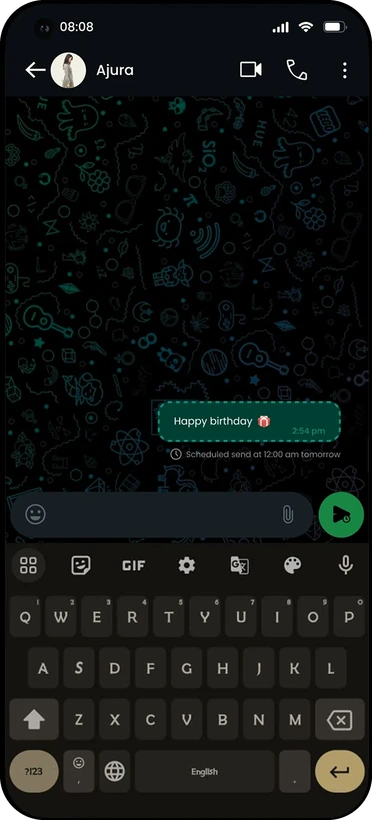
WhatsApp is part of everyday life, but some moments still depend on remembering to hit send at the right time: a birthday at midnight, a reminder in the morning, a message outside working hours. This concept explores three UX improvements and goes deep on one: scheduled messages.
The problem
Sending at the right moment depends on you remembering, and staying awake.
My role
UX and UI design, interaction design and prototyping in Figma.
The result
Scheduled sending built into the existing send button, with no new screen or menu.
01 · Three ideas
Three ideas. One worth going deep on.
I looked for small additions that would make WhatsApp more useful without changing what people love about it.
01
Interactive status updates
Polls, quizzes or questions inside status updates, to encourage interaction within groups.
02
Disappearing chat rooms
Temporary chat rooms with an expiry timer, for more spontaneous, light-hearted conversations.
03 · The deep dive
Scheduled messages
Send a message later: for reminders, birthday wishes, or messages during non-working hours.
02 · The idea
The best place for a new feature is a button people already press.
A new screen or menu would make a simple app feel heavier. Holding the send button is a gesture people already know from other messaging apps, so scheduling could live right there.
So the brief wrote itself
How might we let people schedule a message without adding a single new screen to WhatsApp?
03 · The flow
Hold, tap, pick, done.
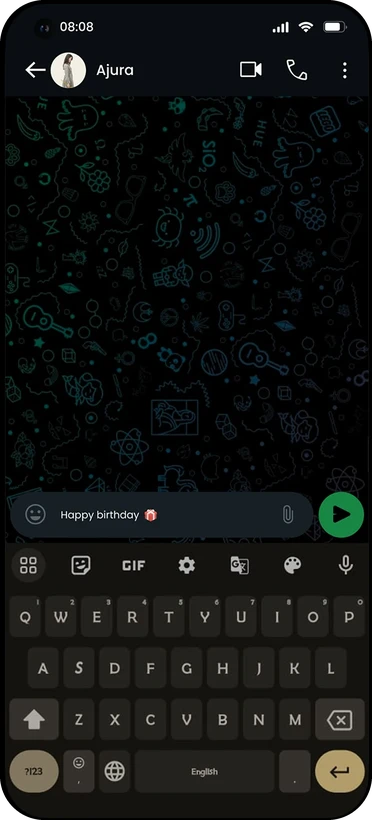
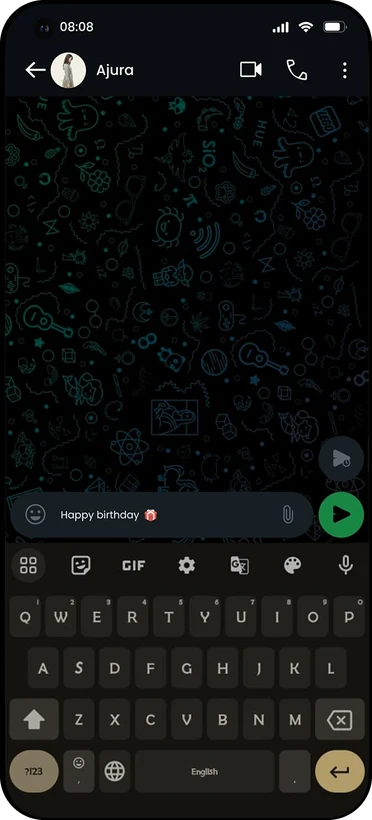
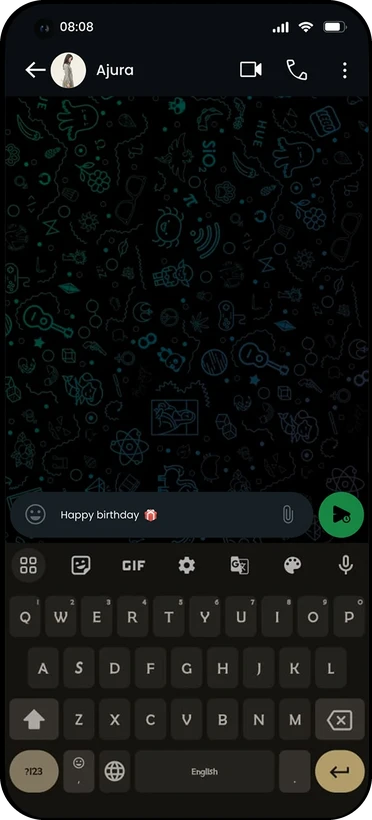
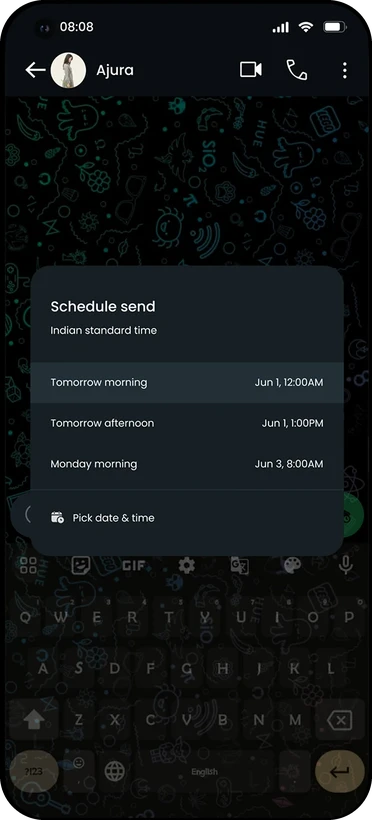
Five steps, all inside the chat you're already in. Watch it play, or tap a step.
04 · The final UI
Feels like it was always there.
The flow keeps WhatsApp's dark theme and chat layout, so the feature feels native.
Type message
Hold send
Tap schedule
Pick date & time
Scheduled
Familiar entry point
Holding send reuses a gesture people already know, so there's nothing new to learn.
Smart suggestions
Three recommended times with the time zone shown, plus a custom date and time picker.
Clear status
A dashed bubble with the send time underneath, so a scheduled message is never mistaken for a sent one.
The takeaway
I started with a message that needed perfect timing. I wanted WhatsApp to remember it for you.
No new screens: scheduling lives on the send button.
Suggestions first: three good times cover most cases in one tap.
A distinct bubble keeps scheduled and sent messages clearly apart.
Together with interactive statuses and disappearing chat rooms, the aim is a WhatsApp that's more flexible and convenient, without losing the simplicity people rely on.